
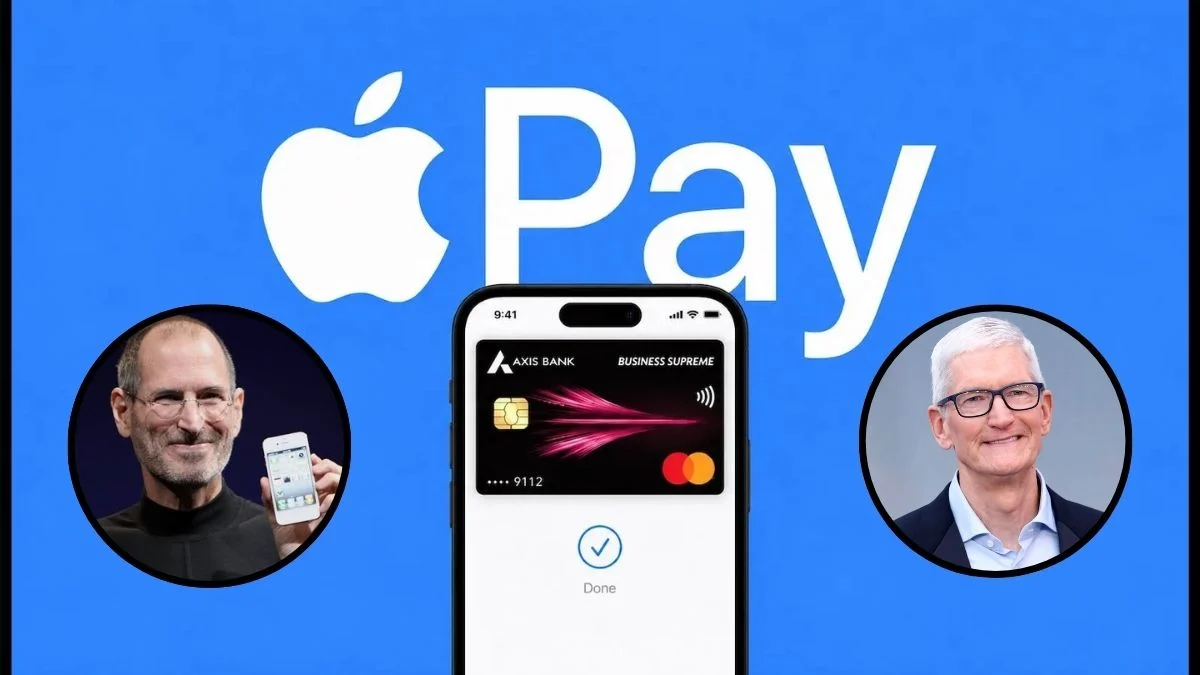
Apple Pay is now live in India with Axis Bank, bringing contactless card payments to eligible iPhone and Apple Watch users — but UPI, RuPay and most major banks remain outside the launch
New Delhi: Apple Pay is finally available in India. On 30 September 2026, Apple launched its contactless payment service in the world’s most populous country, with Axis Bank as its first banking partner. After years of waiting, regulatory work and discussions with banks, eligible iPhone, iPad and Apple Watch users can now add their cards to Apple Wallet and make payments with a double-click and biometric authentication.
Apple has kept the launch limited for now. The service supports only certain Axis Bank credit cards on the Visa and Mastercard networks. It does not support UPI, RuPay cards or debit cards. Major card issuers such as HDFC Bank, ICICI Bank and SBI Card have also not joined the service yet. Users can make payments only at merchants and payment terminals that have enabled Apple Pay.
Still, millions of Indians who already use an iPhone and an Axis Bank credit card can now access a fast, private and secure payment option. Apple Pay works alongside India’s dominant UPI system rather than trying to replace it.
This guide covers all the confirmed details available at launch, including how Apple Pay works, who can use it, how to set it up, where users can make payments, its security features, how it compares with existing payment services, its current limitations and answers to the most common questions.
Why Apple Pay Finally Arrived in India
Apple launched Apple Pay in the United States in 2014. The service now operates in more than 90 countries and regions and works with over 11,000 bank and network partners. India remained one of the last major economies where Apple Pay was not available.
Several factors delayed the launch. India already had a highly successful Unified Payments Interface (UPI) system, while Apple also had to reach commercial agreements with banks and meet Indian regulatory requirements for card authentication.
A major step came when the Reserve Bank of India allowed biometric authentication for card payments last year. This change allowed services such as Face ID and Touch ID to work with cards issued in India.
Apple also worked with several payment service providers to make Apple Pay available at merchant terminals. These providers include Cashfree, JusPay, Mswipe, Paytm, PayU, Pine Labs, Razorpay and Worldline.
Jennifer Bailey, Apple’s vice president of Apple Pay and Apple Wallet, described India as “home to a dynamic and digitally savvy population that continues to embrace a cashless future while expecting the highest standards of security and privacy.”
Axis Bank became Apple Pay’s launch partner in India. The bank ranks as India’s third-largest private-sector lender and fourth-largest credit-card issuer, with around 16.3 million cards in circulation.
Apple continues to discuss partnerships with larger card issuers. These talks also involve commercial terms. Reports have said Apple requested a fee of around 20 basis points, or 0.2%, on transactions, following its business model in other markets.
What Is Apple Pay and How Does It Work in India?
Apple Pay does not work as a separate app or as a wallet where users keep a balance. Instead, Apple built the service into the Apple Wallet app.
The Wallet app stores a tokenised version of an eligible credit card. When a user makes a payment, Apple Pay uses a unique Device Account Number instead of the actual card number.
The merchant does not see or store the real card details. Apple Pay also authenticates the payment directly on the device through Face ID, Touch ID or the device passcode.
At launch in India, users can use Apple Pay for:
- Contactless in-store payments at NFC-enabled terminals that support Apple Pay.
- In-app purchases on iPhone and iPad.
- Online purchases on websites that support Apple Pay, including purchases through Safari and some third-party browsers.
- Payments through Apple Watch after users add the card and pair the watch with a compatible iPhone.
Apple plans to add Mac support later.
Users do not need an active internet connection to make in-store contactless payments after they add and activate the card. The device can sync the transaction later.
Users also continue to receive the rewards, cashback and other benefits attached to their physical cards. Apple does not charge users a separate fee for using Apple Pay.
Who Can Use Apple Pay Right Now?
Supported Banks and Cards
At launch, Apple Pay supports only eligible Axis Bank Visa and Mastercard credit cards.
Not every Axis Bank card qualifies. Axis Bank’s RuPay and American Express cards do not work with Apple Pay at launch.
Some Axis Bank cards that may qualify include variants such as:
- Magnus
- Atlas
- ACE
- Horizon
- Cashback
- Rewards
- Privilege
- Eligible co-branded Visa and Mastercard cards
Eligibility can vary from one card to another. Users should check the Wallet app or Axis Bank app to see whether their specific card can be added.
Axis Bank debit cards do not work with Apple Pay at launch.
Other banks are expected to join the service in the future, but Apple has not announced a specific timeline.
Compatible Devices and Software
Apple Pay currently works with:
- iPhone XR or newer models running iOS 18 or later.
- Apple Watch Series 6 or newer models running watchOS 11 or later and paired with a compatible iPhone.
- Compatible iPads for in-app and online payments.
- Mac support will arrive later.
Older devices and earlier software versions will not support the service.
How to Set Up Apple Pay on iPhone, iPad and Apple Watch
Setting up Apple Pay takes only a few minutes if you have an eligible card.
Step 1: Update Your Device
Update your iPhone to the latest available iOS version. Make sure you also have an eligible Axis Bank Visa or Mastercard credit card.
Step 2: Open Apple Wallet
Open the Wallet app on your iPhone and tap the “+” button in the top-right corner.
Step 3: Add Your Card
Select “Debit or Credit Card” and follow the instructions. You can scan your physical card using the iPhone camera or enter the card details manually.
Step 4: Verify Your Card
Complete the verification process required by Axis Bank. The bank may ask you to enter an OTP or complete authentication through its systems.
Step 5: Add the Card Through Axis Bank
Users can also open the latest version of the Axis Bank app and look for the option to add their card directly to Apple Wallet.
Once Axis Bank approves the card, it will appear in Apple Wallet.
To add the same card to an Apple Watch, open the Watch app on your iPhone and go to My Watch > Wallet & Apple Pay. From there, add or transfer the card.
Users can use the same card across their paired Apple devices.
If Wallet does not show the card as eligible, contact Axis Bank. The bank has not enabled every card product on the first day of the launch.
How to Pay With Apple Pay in Stores
Users can pay at a contactless NFC terminal that supports Apple Pay.
Follow these steps:
- Double-click the side button on the iPhone. Older iPhone models with a Home button use the Home button.
- Authenticate with Face ID, Touch ID or the device passcode if required.
- Hold the top of the iPhone near the payment reader.
- Apple Watch users can hold the watch display near the reader.
- Wait for the vibration or confirmation on the screen.
Users do not need to enter a PIN or OTP at the payment terminal for the Apple Pay transaction itself, although card-issuer or regulatory limits may still require additional authentication in some situations.
The process allows users to pay without handing their physical card to the merchant.
How to Use Apple Pay in Apps and on Websites
When a website or app supports Apple Pay, select Apple Pay during checkout.
Authenticate the payment on your device. Apple Pay can also automatically fill shipping, contact and payment information stored in Wallet, which reduces the need to enter details manually.
Apple Pay also works with some third-party browsers. Depending on the website and browser, users may need to select Apple Pay, scan a QR code with their iPhone, review the payment details and confirm the transaction.
Where Can You Use Apple Pay in India?
Apple says Apple Pay works at “millions of merchants” at launch.
Some confirmed early partners and brands include:
- Apple Store locations
- Blinkit
- Chaayos
- Comet
- Croma
- Interflora
- Ixigo
- Le15 Patisserie
- Reliance brands
- Tata 1mg
- Zomato
The payment service providers mentioned earlier help power Apple Pay acceptance at these locations.
More merchants and terminals will support Apple Pay as banks and payment service providers activate the service.
However, users cannot assume that every NFC payment terminal will accept Apple Pay. The acquiring bank or payment service provider must activate Apple Pay support on the terminal.
How Apple Pay Protects Your Card Details
Apple places strong emphasis on security and privacy.
Apple does not store the actual card number on the device or on its servers. It also does not share the real card number with merchants.
Instead, Apple Pay creates a unique Device Account Number and stores it in the Secure Enclave on the device.
Each transaction also generates a dynamic security code.
Users must authenticate payments with Face ID, Touch ID or their device passcode. This means someone cannot normally use a lost or stolen device to make Apple Pay payments without passing the required authentication.
If a device goes missing, users can also suspend or remove cards remotely through Find My.
Apple uses the same tokenisation-based security system for Apple Pay globally, and the company has used this architecture for more than a decade.
Apple Pay vs UPI, Google Pay and PhonePe: What Is the Difference?
India relies heavily on UPI for digital payments. UPI accounts for roughly 84% of digital payment volume and processes hundreds of millions of transactions every day.
PhonePe, Google Pay and Paytm remain major UPI payment apps.
Apple Pay follows a different payment model.
- Apple Pay uses cards and tokenisation, while UPI enables direct bank-account-to-bank-account payments.
- Apple Pay mainly uses NFC tap-to-pay, while UPI commonly uses QR codes.
- Apple Pay does not support peer-to-peer money transfers.
- Apple Pay does not let users pay directly from a bank-account balance.
- Apple Pay works only with supported cards and compatible Apple devices.
Google Pay and PhonePe also support some card-based and tap-to-pay features on Android devices. However, UPI remains central to their use in India.
Apple Pay does not replace Google Pay, PhonePe or UPI. Instead, it gives Apple users another way to pay with supported credit cards.
UPI remains important for small merchants, street vendors and everyday QR-code payments. Apple Pay mainly targets organised retail, apps, websites and payment terminals that already support contactless card payments.
Apple Pay Launch Limitations and What Could Come Next
Apple Pay currently has several important limitations in India:
- It supports only eligible Axis Bank Visa and Mastercard credit cards.
- It does not support RuPay cards.
- It does not support debit cards.
- It does not support cards from other banks at launch.
- It does not support UPI.
- It does not support Mac yet.
- Users can make payments only at merchants and terminals that have enabled Apple Pay.
Apple plans to add more banks and merchants over time.
Apple continues to discuss partnerships with other major card issuers. However, the company has not announced when these banks will join.
UPI support would require regulatory approval from the National Payments Corporation of India as well as technical partnerships. Apple has not announced a timeline for UPI integration.
FAQs: Questions Users Are Asking About Apple Pay in India
Yes. Apple launched Apple Pay in India on 30 September 2026.
Eligible Axis Bank credit cards that use the Visa or Mastercard networks work at launch.
No. Apple Pay works through the built-in Apple Wallet app. Users can also use the Axis Bank app to add an eligible card.
Yes. After users add and provision their card, they can make in-store NFC payments without an active internet connection.
Yes. Your existing card rewards, cashback and other applicable benefits continue to work according to your card’s terms.
No. Apple does not charge users for using Apple Pay. Your bank’s normal card charges and terms still apply.
Yes. You can use Apple Pay at merchants worldwide that accept Apple Pay or compatible contactless NFC payments with your supported card network.
First, check whether you have an eligible Axis Bank Visa or Mastercard credit card. Then update your device software and try adding the card again. If the problem continues, contact Axis Bank support.
Apple Pay Gives Indian Users Another Way to Pay
Apple Pay gives a section of Indian Apple users a new way to pay with the credit cards they already use. The service does not replace UPI, and Apple has not designed it to do so.
For eligible users, the setup process takes only a few minutes, while the payment experience will feel familiar to people who already use Apple Pay in other countries. Apple also brings its established tokenisation and device-based authentication system to the Indian market.
The service currently has a limited reach because only eligible Axis Bank Visa and Mastercard credit cards work with it. Apple also needs more banks and merchants to join before the service can reach a much larger number of Indian users.
For now, Apple Pay adds another payment option to a country that already has one of the world’s largest and most active digital payment ecosystems.
