
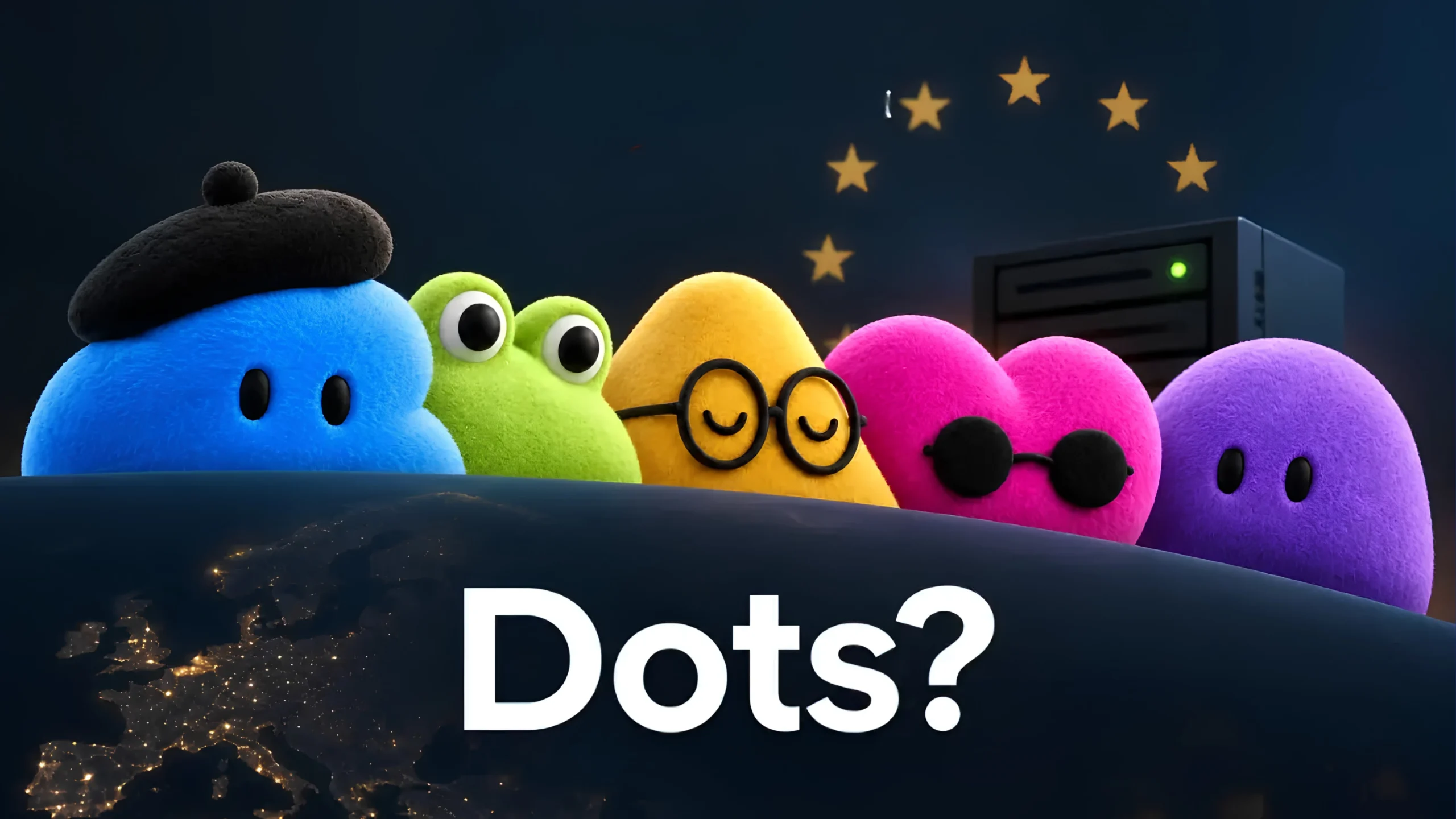
Unlike traditional AI models that wait for prompts, OpenAI Dots work 24/7, learn user preferences and independently handle complex tasks across thousands of apps
SAN FRANCISCO: OpenAI unveiled Dots on Tuesday, introducing a new type of always-on AI agent that can continuously work for users. The company announced the new system at its annual DevDay conference, calling it one of its biggest moves yet into autonomous AI systems.
OpenAI built Dots on GPT-6 Astra, its latest frontier model, which the company describes as its model most closely aligned with human instructions. Dots go beyond traditional chatbots. They run on dedicated cloud computers, connect with thousands of apps, learn users’ preferences over time and continue working on assigned goals with limited supervision.
With Dots, OpenAI is entering a fast-growing market for autonomous AI agents. The company will compete with Meta’s recently launched Muse and other AI tools that can complete tasks independently. The launch also strengthens OpenAI’s focus on enterprise customers.
Here is a detailed look at what Dots are, how they work, who can use them, the safety measures they offer, their enterprise features, their competition and the questions users are asking.
What Exactly Are OpenAI Dots?
Dots are persistent, always-on AI agents built into ChatGPT. OpenAI describes them as “remarkably capable, always-on agents built to handle everything.” The company designed them to understand what matters to users, work on their behalf and take tasks off their hands so they can save time and attention.
A normal ChatGPT conversation ends when the user closes the conversation. A Dot can continue working in the background. Each Dot gets its own cloud computer and browser. Through OpenAI’s plugin ecosystem, Dots can connect to more than 4,000 apps.
Users can name and personalize their main Dot. The agents appear as cute, customizable, blob-like avatars. OpenAI says Dots can improve through user feedback and learn individual preferences, working styles and quality standards.
OpenAI CEO Sam Altman compared the experience to working with a highly proactive engineer or chief of staff. He described it as an AI helper that is always available and said it reflects the way he has always wanted to work with AI.
Users initially get one primary Dot. OpenAI eventually wants users to have teams of Dots that can work together on their behalf.
How Dots Work: Cloud Computers, Apps and Continuous Operation
One of the main features of Dots is their dedicated cloud computer.
Dots can research information, browse the internet, analyze data, prepare documents, write and test code through Codex and work on several projects at the same time. Users do not need to give instructions at every step. They can also open the Dot’s computer whenever they want and check what the agent has done.
Users can also give Dots deeper access. With clear permission through the ChatGPT desktop app, a Dot can connect to the user’s laptop and work alongside them. When a website requires a sign-in, Dots can use saved passwords without showing those passwords to the AI model.
Dots can also conduct what OpenAI calls “proactive research” when users are not actively directing them. During this background work, Dots can use only read-only tools connected to approved apps. This means they cannot send messages, change content or control devices without additional approval.
OpenAI has also designed Dots to work across different platforms. Users can message or voice-call their Dot through ChatGPT on the web, desktop and mobile. The same Dot can also work through Slack and Microsoft Teams while maintaining its full context.
OpenAI has placed text-message support for iMessage and Android RCS on a waitlist for Pro users and expects to introduce it soon.
Real-World Examples of What Dots Can Do
OpenAI and its early demonstrations show several ways people can use Dots in real-world situations:
- A developer can ask a Dot to monitor customer feedback, identify smaller bugs and improvements, build and test solutions and then create complete pull requests. The Dot can also provide video demonstrations for a human to review.
- A product lead can use a Dot to update launch materials, messaging and other assets when the product’s scope changes. The Dot can use the user’s established creative standards while preparing the new drafts.
- A scientist can ask a Dot to repeat analyses when new experimental data becomes available. The Dot can investigate unexpected results, update figures and highlight findings that require human review.
- A sales lead can use a Dot to check product requirements against documentation and account history. The Dot can create proofs of concept, update proposals and recommend relevant internal experts.
- A content creator can ask a Dot to identify useful video clips from interview transcripts, prepare show notes and write social media posts in the creator’s usual voice.
- For everyday tasks, a Dot could notice through calendar information that a user is working through dinner and proactively suggest food-delivery options and prices. It could also prepare an overdue invoice and leave it ready for the user’s approval.
These examples show that OpenAI designed Dots for both personal and professional tasks.
Availability, Pricing and Regional Rollout
OpenAI began rolling out Dots on September 29, 2026, to ChatGPT Pro and Business Premium users in eligible markets.
Users receive their first Dot at no additional cost with these plans. Enterprise customers, including Edu and Healthcare users, can enable Dots in beta after a workspace administrator turns the feature on.
Pro plans start at $100 per month. Higher tiers cost $200, while OpenAI has introduced a new $500 Ultrafast option. Business Premium costs around $100 to $125 per seat, depending on the billing arrangement.
Conversations with a Dot do not count against regular ChatGPT message limits. However, deeper tasks that users start or manage through Codex or ChatGPT Work count toward the allowances included with their plans.
OpenAI has also provided extended limits during the first month after launch. The company plans to offer additional options that will let users add more Dots and increase their speed or monthly workload.
There is an important regional restriction at launch. Pro users in the European Economic Area, Switzerland and the United Kingdom cannot access Dots yet. Business Premium remains available across all supported ChatGPT regions. OpenAI has not announced when it will expand Pro access to the excluded markets.
Free, Go and Plus plans do not include Dots.
Users generally begin setting up Dots through the ChatGPT desktop app or desktop website. They can then access them through mobile devices. OpenAI is rolling out the feature gradually, so even eligible users may need to wait several days before they receive access.
Users must be over 18 to use Dots.
Safety, Permissions and User Control
OpenAI says users will remain in control of their Dots. The company has carried over ChatGPT’s existing safety protections and added additional safeguards for autonomous operations.
The main safety measures include:
- Custom Rules: Users can allow certain actions, require approval before an action or completely block specific actions.
- Auto-review: The system checks potentially important actions against the user’s instructions, custom rules and safety requirements.
- Explicit consent: Dots need clear user approval for highly sensitive tasks, including changing passwords or permanently deleting data.
- Separate cloud computers: Dots operate on separate cloud computers, keeping a user’s local computer and files isolated unless the user deliberately connects them.
- Monitoring systems: OpenAI can pause or stop a Dot when its systems identify safety concerns.
- Read-only proactive research: Background research limits Dots to read-only access.
- Existing app permissions: Dots follow the permission controls that ChatGPT already uses for connected services.
OpenAI says it does not use content from Business, Enterprise and Edu workspaces to improve its models by default. Users on personal plans can control whether the company uses their conversations and work for training.
The company also warns that Dots can make mistakes. It recommends that users review important or consequential work before acting on it.
OpenAI has published a dedicated safety page and a system card for GPT-6 Astra that provide additional technical information about the system.
Specialist Dots and OpenAI’s Enterprise Strategy
OpenAI has also previewed “specialist Dots” for organizations.
These agents receive their own identities and credentials and can access a company’s systems of record. Organizations can assign them specific responsibilities, such as procurement, invoice processing, email marketing, customer support and commercial contracting.
OpenAI used its own internal testing to help design these specialist agents.
The company has started focused enterprise pilots. During these pilots, OpenAI engineers work directly with customers to define what each Dot can do, which tools it can use and when it needs human approval.
OpenAI is also working with Microsoft to integrate Dots into Microsoft Agent 365. Microsoft designed Agent 365 as a control system for observing, governing and securing AI agents while using existing enterprise identity, security and compliance tools.
OpenAI is also introducing ChatGPT Space, a collaborative environment where people, ChatGPT, Codex and Dots can share context.
Together, these features show OpenAI’s plan to make AI agents a deeper part of workplace operations.
How Dots Compare With Meta’s Muse and the Wider AI Agent Race
Dots arrived weeks after Meta introduced Muse. Muse also offers an always-on design, its own secured computer and browser, background operation and approval requirements for sensitive actions.
Muse has attracted consumer interest quickly. OpenAI, however, has initially limited Dots to higher-tier paid plans and is placing a strong focus on professional and enterprise applications.
More companies are now competing to build autonomous AI agents. Startups and established technology companies are developing systems that can complete multiple steps and carry out work instead of simply responding to individual prompts.
OpenAI combines its latest AI model with a large ChatGPT user base, a broad plugin ecosystem and its partnership with Microsoft. These factors give the company significant distribution and infrastructure advantages.
At the same time, the rise of autonomous agents raises familiar questions about reliability, unpredictable costs, data exposure and how much freedom users should give AI systems.
What Comes Next and What Questions Remain?
OpenAI plans to make Dots available to more users. It also wants to create teams of agents and introduce paid options that will allow users to add more Dots or increase their workload and speed.
Specialist enterprise deployments and deeper integration with Microsoft Agent 365 will also remain important areas to watch.
OpenAI has also released GPT-6.1 Sol alongside the Dots announcement. The company has focused this model on improvements in agentic coding and computer use.
For users considering Dots, several practical questions remain.
Will the productivity benefits justify the subscription cost and the need for users to continue reviewing the work? How well will custom rules and auto-review stop unwanted actions in complicated real-world situations? When will Pro users in Europe and the UK receive access? And how quickly can teams of Dots and specialist agents become reliable tools for everyday work?
Dots represent OpenAI’s clearest move yet toward an AI experience based less on asking questions and more on delegating ongoing responsibilities.
The system still expects users to remain involved, particularly when an AI agent handles important or sensitive work. As OpenAI expands the rollout and more users begin testing Dots in real-world situations, their performance will show whether always-on agents can genuinely save users time and attention or whether they will also bring new layers of complexity and risk.
